
WATAD — Construction project and work claim interfaces
Every work claim starts with a line item, quantity and rate. WATAD connects project records to executed work, deductions and net value, with a clear review workflow.
Explore the project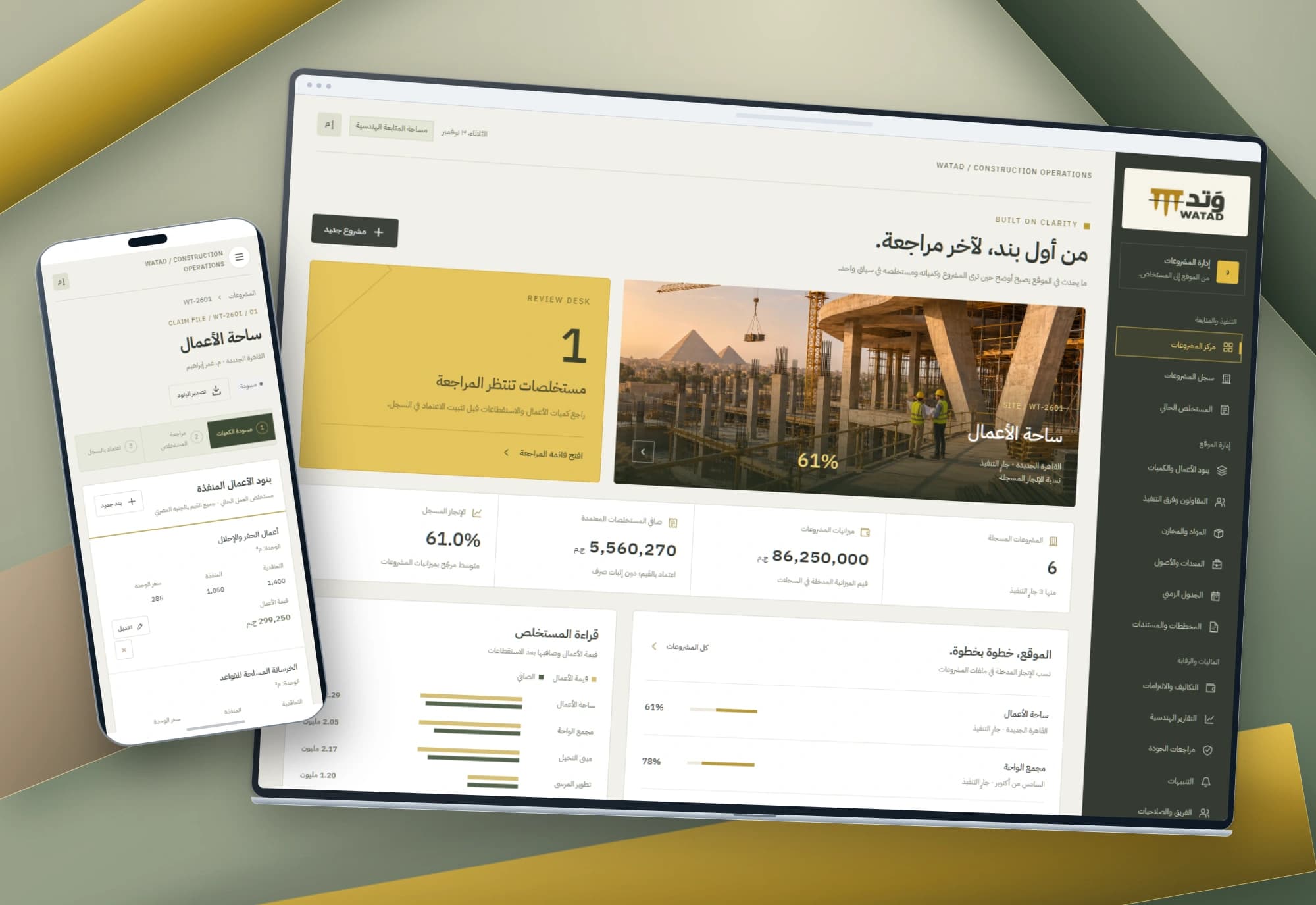 1 / 1
Project information
- Client
- An original Nextwave project
- Sector
- Construction
- Platforms
- Web
- Project type
- Business systems
Services delivered
Project overview
What changed the work claim’s total: an executed quantity, a unit rate or a deduction? WATAD makes those details the starting point for understanding the figure and its review state.
A total does not explain itself
A quantity surveyor needs executed work against contracted quantities; a reviewer needs the deduction basis behind the net amount. Project budgets and current claim values also need distinct meanings.
The design separates project metadata and recorded progress, executed work items, and claim deductions and review state. Each has its own place and calculation basis.
From project overview to a reviewable line item
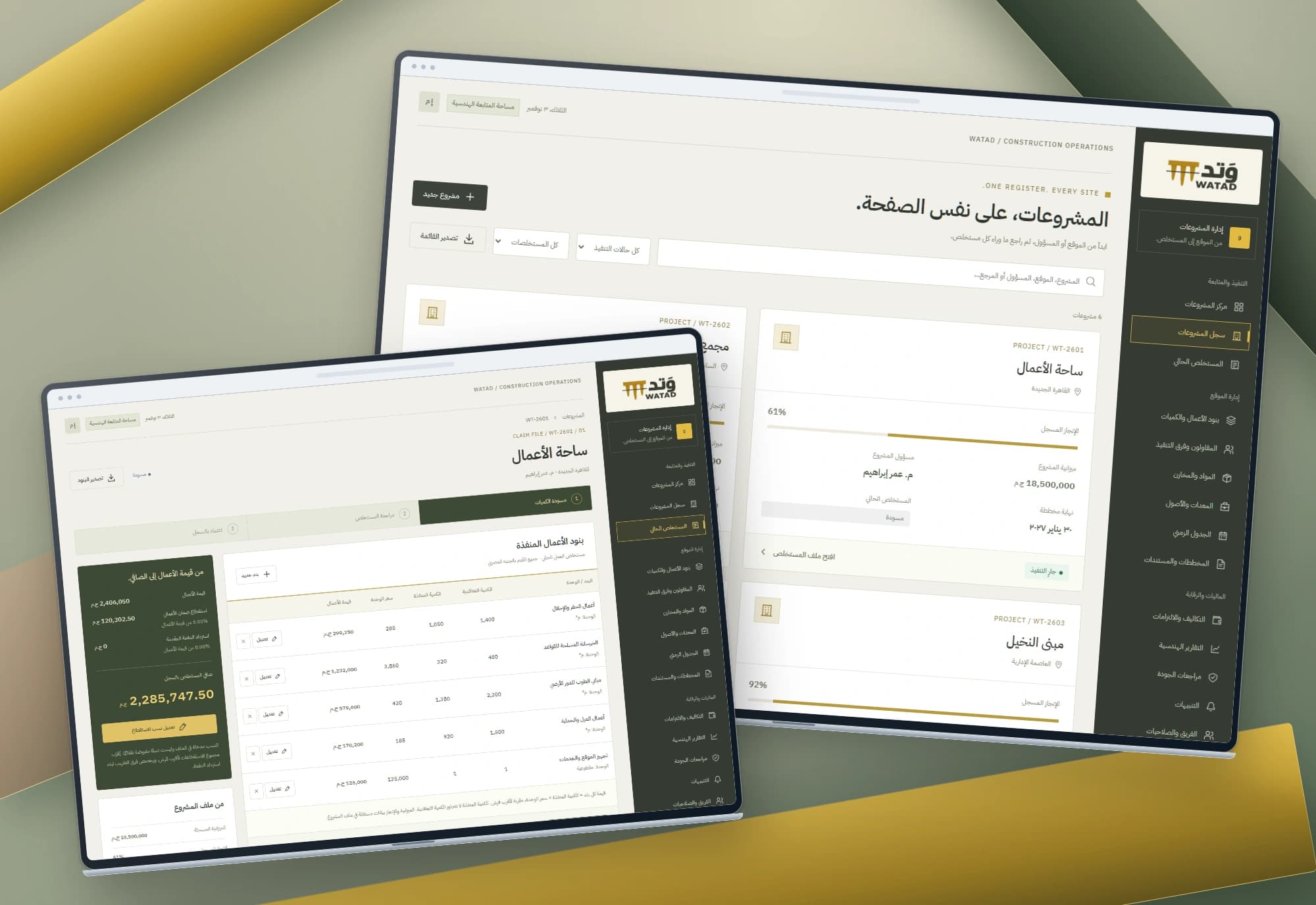
The overview derives budgets, budget-weighted recorded progress, pending reviews and approved net totals. The project register combines location or manager search with execution and claim-state filters.
Each project opens its current claim: contracted and executed quantities, unit rates and work values alongside deductions, net value and project context. An event history records item edits and workflow transitions.
From quantity and rate to a clear net value
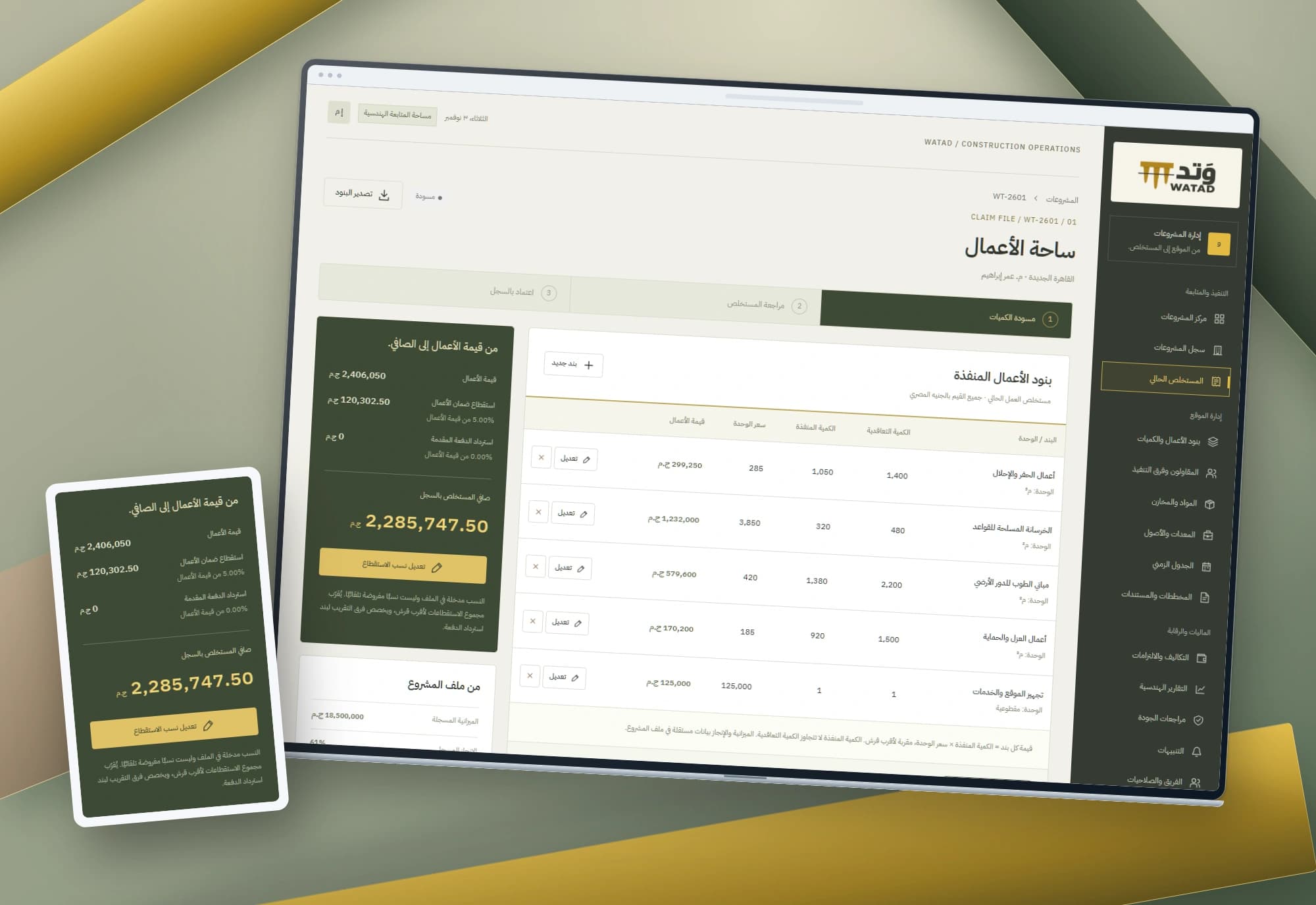
Each work item multiplies executed quantity by unit rate and rounds to the nearest cent. Executed quantity cannot exceed the contracted amount. Draft claims allow item creation, editing and confirmed removal.
Retention and advance-recovery percentages are explicit inputs with a combined limit of 100%. Combined deductions are rounded once, allocating any residual cent to recovery. Review and approval states lock quantity and deduction editing.
Project images
Explore the interface and experience through the project gallery.
 1 / 3
Use case: preparing executed quantities for review
The surveyor enters the item, unit, contracted quantity, executed quantity and unit rate. An over-contract execution quantity keeps the form open until corrected.
Saving updates line value, gross work and net totals and records the action. Corrections update the same item rather than duplicating it. The claim export includes its items, deductions, net value and state for separate review.
Use case: checking deductions before submission
The reviewer enters the percentages applicable to this record and checks the resulting retention, advance recovery and net amount. The interface adds no other rate automatically.
Inputs above the combined limit leave the saved record unchanged. A successful edit is logged; a positive-value claim can then be submitted. The percentages are record inputs rather than assumed statutory or tax rules.
Use case: returning a claim for correction
Review locks the saved quantities and percentages for inspection. A claim needing correction returns to draft, recording the transition before editing resumes.
An approved record stays locked. Reopening requires a reason and passes through review before draft. The event history remains visible, while project budget and progress stay independent of claim value. Approval records a state; it does not execute payment or an accounting posting.

An engineering language with room for numbers
Graphite, yellow and stone surfaces give the workspace an engineering character. A visible stage strip and a separate financial summary keep the statement readable.
Mobile bill rows become labelled cards for quantity, rate and value. Four mockups place the original screens among abstract structural studio forms, with no text on the background.
Implemented scope
Three connected interfaces implement project records and one current claim per project, with quantities, rates, deductions, review states and browser persistence. Approval is not an authorised signature or payment. Accounting integration, contractor and material management, permissions and shared data require separate implementation within the wider product outline.
Built with
- HTML5
- CSS3
- JavaScript
- localStorage

DARAJ — Employee performance and development interfaces
Performance reviews begin with people and lead to clear next steps. DARAJ connects an employee directory with individual skills, dated reviews and a development plan.
Explore project
DAST — Purchasing and inventory interface
Every order has a path and every item has a balance. Arabic interfaces connect low-stock alerts, purchase-order review and receipt of its line items.
Explore projectNeed work claims that are easier to trace?
We map your quantities, line items and review process, then define the experience, data and integrations your projects need.